Welcome to the XM Cloud Basics series! If you’re working with Sitecore and looking to understand its evolution into the composable world, you’re in the right place.
In this series, I’ll walk through the fundamentals of Sitecore XM Cloud, step by step—helping developers, architects, and marketers build clarity as they transition from traditional XP platforms.
Let’s kick it off by answering the big question: What is Sitecore XM Cloud, and why is it such a big deal?
What is Sitecore XM Cloud?
Sitecore XM Cloud is Sitecore’s SaaS-native, headless content management system—part of their push toward composability and MACH architecture. It’s designed to give brands the flexibility, speed, and scalability they need without worrying about infrastructure, manual upgrades, or large monolithic deployments.
Think of it as Sitecore’s modern answer to “CMS-as-a-Service,” purpose-built for Jamstack, API-first, and cloud-native delivery.
Unlike Sitecore XP, XM Cloud separates content authoring from delivery and empowers teams to use modern front-end frameworks like Next.js out of the box.
Key Features at a Glance
Here are some of the core capabilities of XM Cloud:
- Headless-first content delivery via Layout Service (GraphQL)
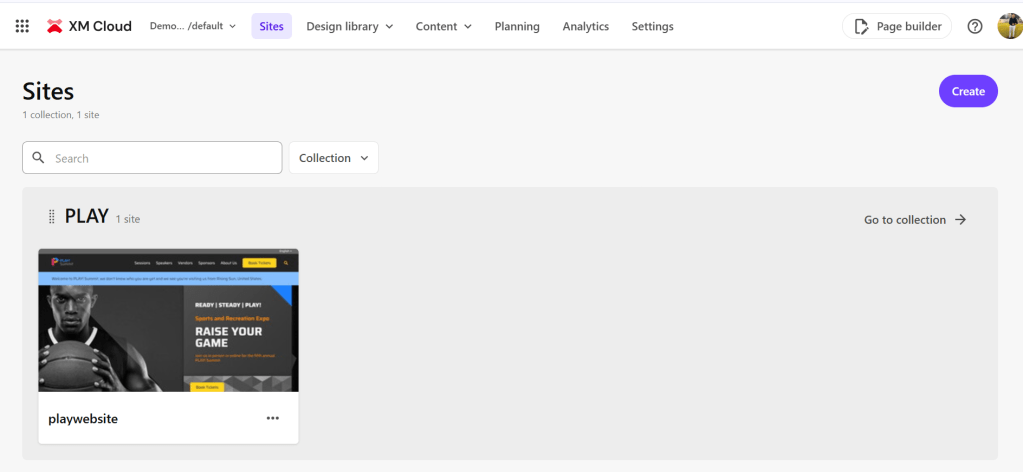
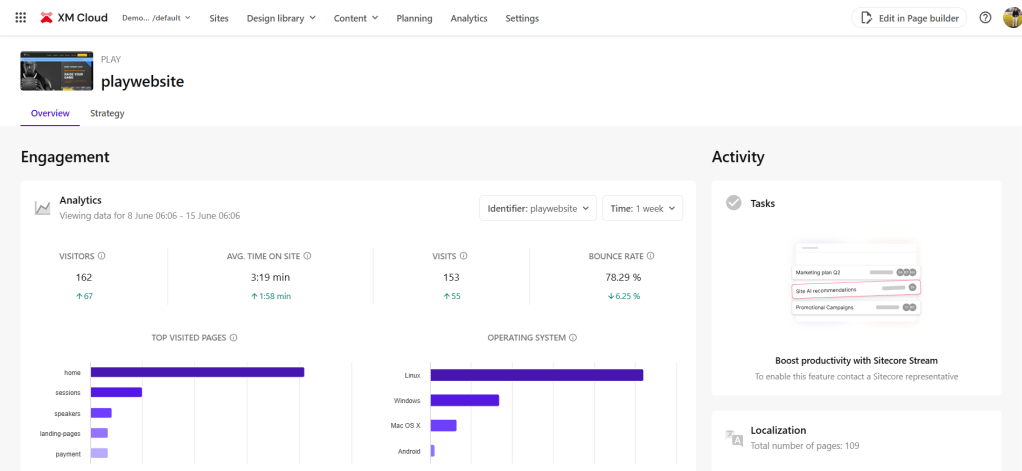
- Visual Page Builder using Sitecore Pages (think Experience Editor 2.0)
- SaaS hosting – no infrastructure to manage
- Integrated CI/CD with XM Cloud Deploy
- Delivery via Sitecore Edge – optimized for performance
- Always up-to-date – evergreen product lifecycle
How XM Cloud Compares to Sitecore XP
Let’s break this down in a quick comparison:
| Feature | Sitecore XP | Sitecore XM Cloud |
|---|---|---|
| Hosting | On-prem / PaaS / Sitecore Managed Services | SaaS (Fully managed) |
| Rendering | MVC, SXA, SHS | Headless (Next.js, JSS) |
| Upgrades | Manual (high effort) | Evergreen, auto-updated |
| DevOps | Custom pipelines | Built-in CI/CD (Deploy App) |
| Personalization | Built-in | CDP & Personalize (external) |
| Scalability | Manual | Auto-scaled (Cloud-native) |
This transition represents a major mindset shift. You’re no longer maintaining servers or worrying about version upgrades. XM Cloud lets you focus on building experiences, not infrastructure.
Why XM Cloud Matters
Here’s why Sitecore XM Cloud is a big win for teams:
- Speed: Faster time to market with modern workflows and DevOps.
- Composability: Mix-and-match with other SaaS offerings like CDP, Personalize, Send, Search, etc.
- Flexibility: Bring your own front-end (Next.js recommended).
- Separation of concerns: Authoring and delivery are decoupled.
- Security & Compliance: Covered by Sitecore’s SaaS platform.
If you’re planning a greenfield implementation or want to move away from the rigidity of monolithic XP, this is where you should be looking.
Who Should Consider XM Cloud?
XM Cloud works best for:
- New builds (greenfield projects)
- Teams already using Jamstack or planning to go headless
- Organizations tired of costly version upgrades
- Companies seeking fast iteration, experimentation, and personalization
If you’re mid-way on an XP platform and wondering whether to migrate—stay tuned for an upcoming post in this series focused on XM Cloud Migration Paths.
In the next part, we’ll take a deep dive into the architecture of XM Cloud—looking at each core element like Pages, Edge, Deploy App, and the headless delivery pipeline.
P.S. The blog content is rephrased by AI!
Hope it helps.. Keep learning.. Keep Sitecoring.. 🙂
 Sitecore Diaries
Pingback: Understanding the Sitecore XM Cloud Architecture | Sitecore Diaries
Pingback: Setting Up Your First XM Cloud Environment | Sitecore Diaries
Pingback: Connecting to Sitecore Edge and Headless Delivery | Sitecore Diaries