This is a brief blog post, or rather a note to remember. Recently, I encountered a scenario with a colleague who had enabled the “Raw Values” option in the View ribbon to accelerate development and content editing. The Sitecore project we are working on contains a substantial amount of content items, and the Master Database is approximately 15 GB in size, which is important to consider if you are planning to back it up.
We agreed to enable the “Raw Values” option in the View tab to expedite certain processes.
Surprisingly, when my colleague attempted to work in the Presentation tab of the Content Editor, he was unable to browse the data source.
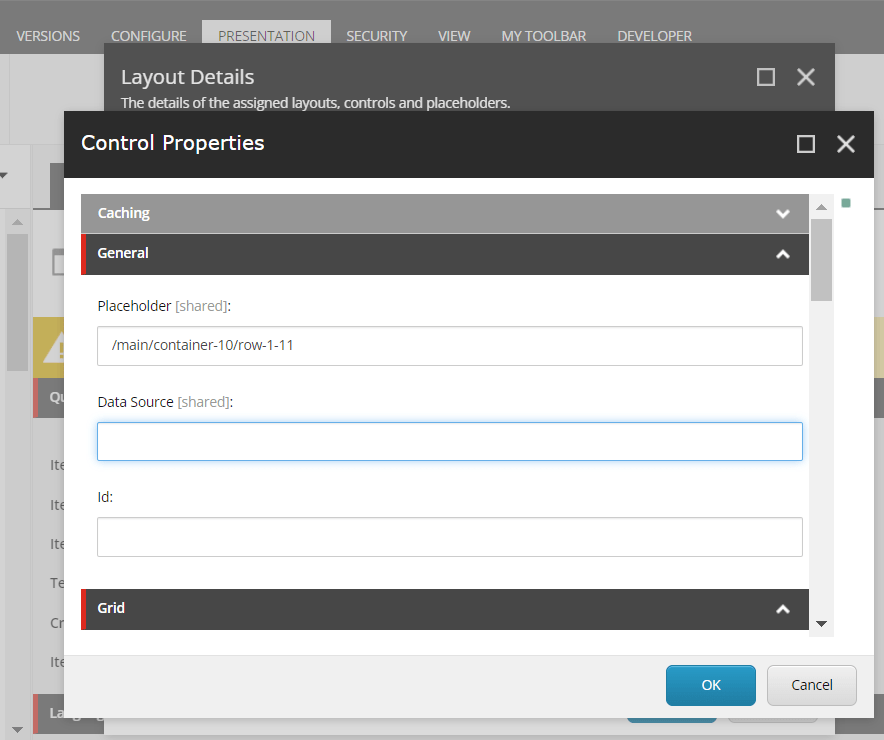
He didn’t realize that the issue was due to the “Raw Values” being enabled and spent a significant amount of time troubleshooting before coming to me. To save time and effort for anyone in a similar situation, the solution is to uncheck “Raw Values” when working on presentation details. Use “Raw Values” only when updating content.
Hope it is helpful!
Thank you.. Keep Learning.. Keep Sitecoring.. 🙂
 Sitecore Diaries