We can use Sitecore Marketing Automation (MA) to very complex scenarios or for the simplest scenarios like if the goal is triggered then send the email.
Recently we had a request for managing the subscription list for the Newsletter. Before MA, we were using Sitecore Forms data to pull the list of the users to send the bulk Newsletter.
We have created two Marketing Automations (MAs) to efficiently manage our subscriber list. One is dedicated to adding users to the subscription list, while the other handles user removal for those opting out of the Newsletter.
This discussion will delve into the initial MA, specifically addressing the process of adding a user to the list when subscribing to the Newsletter.
- Initiate the procedure by incorporating a Trigger Goal submit action into the Sitecore Form designated for Newsletter subscriptions. Label this goal as “Subscribe.”

- Whenever user submits the Subscription Form, the goal “Subscribe” will be triggered.
- Create a blank List (Subscription List) under List Manager.

- Now it is time to create MA.
- Create a blank MA from Marketing Automation tool under Launchpad.

- There are 2 actions by default -> Start and End.

- The Start needs an action -> Goal, Outcome, etc.
- Select “Subscribe” goal in the Start action.

- Add an action between Start and End, Add Contact to a list.
- Select the Subscription List inside the Add Contact to a list action.
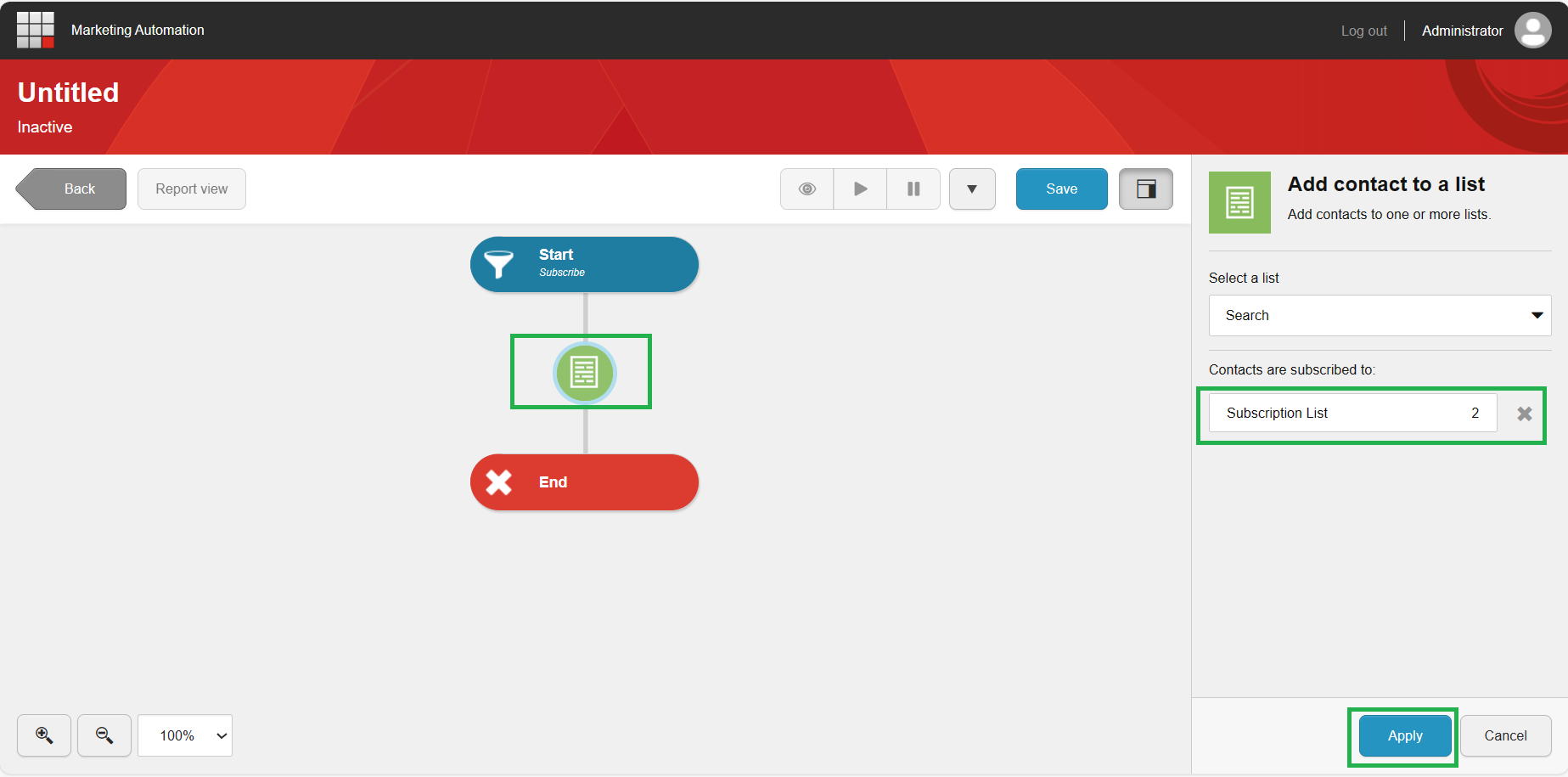
- We are almost done.
- Click on Save and you will receive a pop-up where you will need to specify the name of MA, Start Date, End date, Enrolling the user # of times.
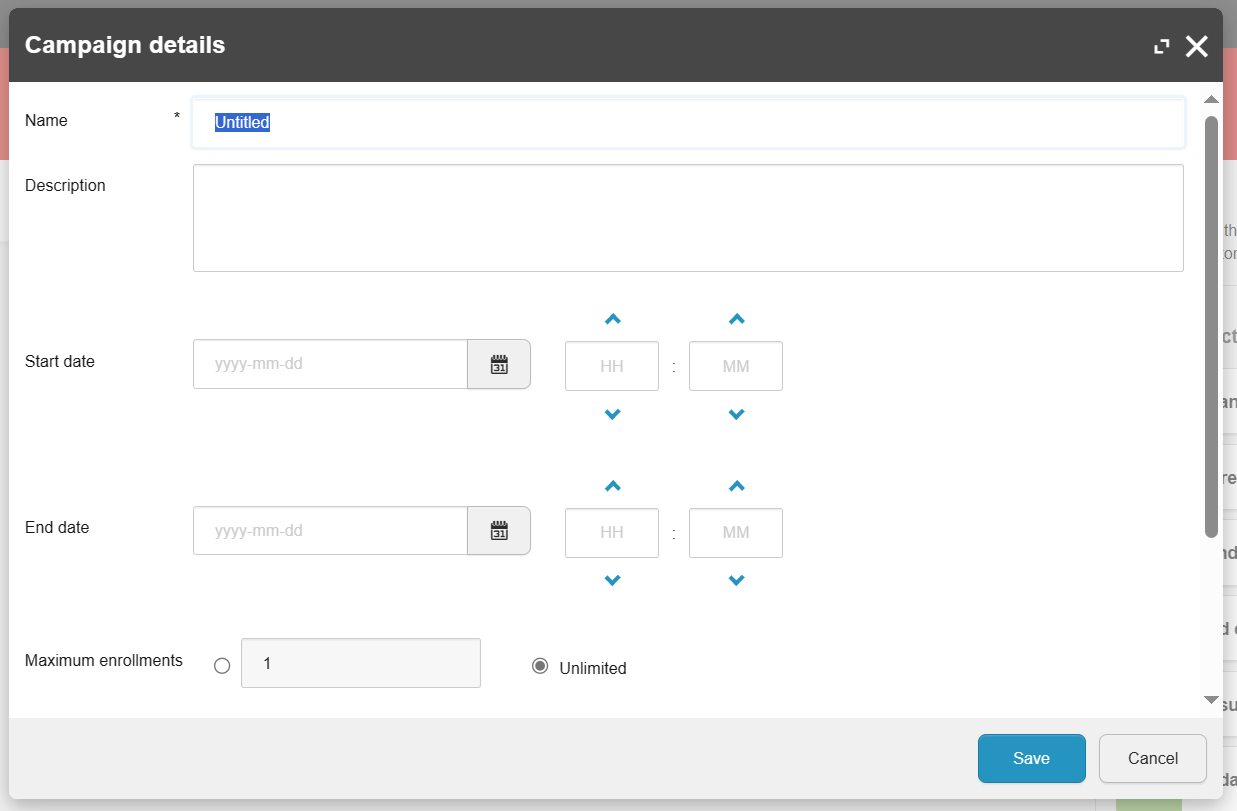
- Save it, click on the drop icon and Activate the MA.

Once activated, every user submission of the Subscribe form will result in their inclusion in the subscription list under List Manager. Subsequently, you can export this list from List Manager for email campaign distribution.
Hope it helps!
Thank you.. Keep Learning.. Keep Sitecoring.. 🙂
 Sitecore Diaries
Pingback: Managing the subscription list with Sitecore Marketing Automation | Sitecore Diaries